
FTC Disclosure:This post contains affiliate links.We’re independently supported by our readers and we may earn a commission when you buy through our links.

Electronic toys are the category where gift buying goes wrong most often. A box with lights and sounds will hold a child’s attention for an afternoon; a toy that gives them something to build, fly, draw or save will keep being used a year later. The difference is almost never the price tag, it is whether the electronics are doing something the child can understand and control.
Our earlier version of this list had five products that no longer match what is shipping. The circuit kit has been rebranded as the SC-100 Explorer, the retro handheld now carries 220 games instead of the smaller preloaded set, and the mini drone that used to sit at position two has been replaced on Amazon, so this is a rebuilt list rather than a light edit.
The five below cover five genuinely different kinds of play: building circuits, flying, drawing, playing and saving money. That spread matters more than any single recommendation, because a child who ignores one category will often use another every day.
At a Glance: Our Top Picks
| Award | Toy | Best For | Why It Stands Out |
|---|---|---|---|
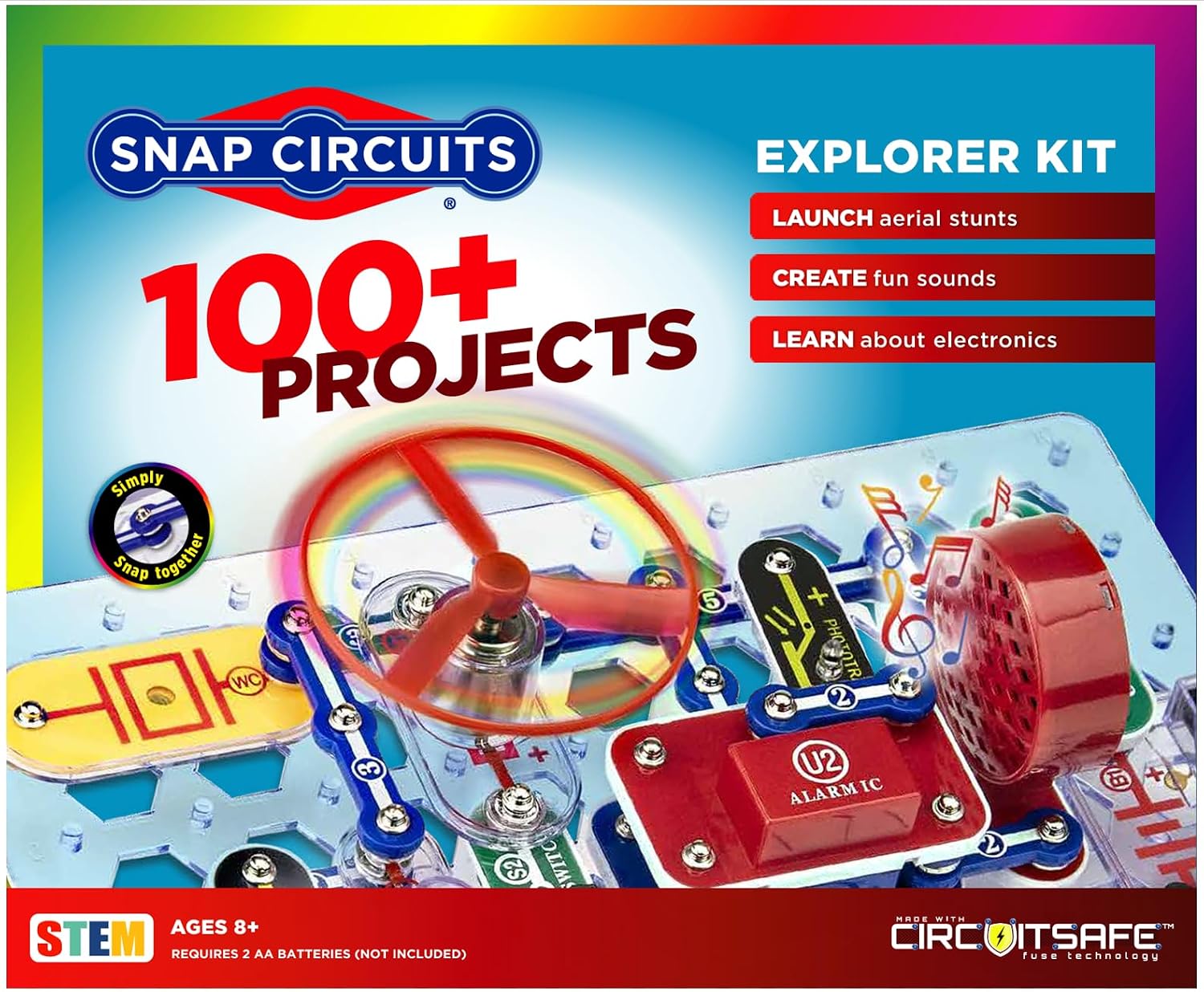
| TOP PICK | Snap Circuits Explorer SC-100 | Kids 8+ who want to build | Over 100 real circuits that snap together with no soldering and no tools |
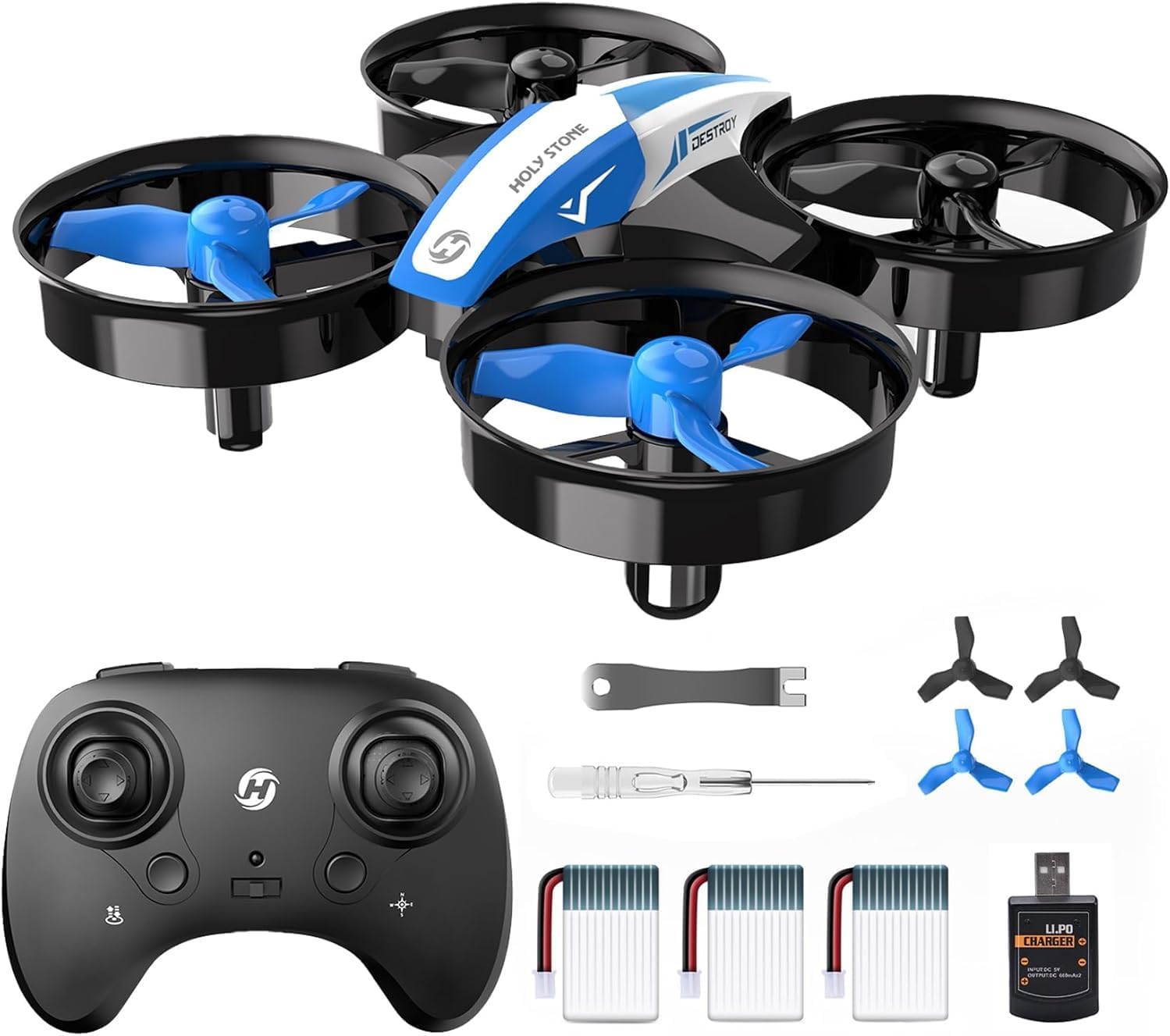
| BEST ACTIVE PLAY | Holy Stone HS210 Mini Drone | Indoor flying, first-time pilots | Three batteries for up to 21 minutes, altitude hold and guarded propellers |
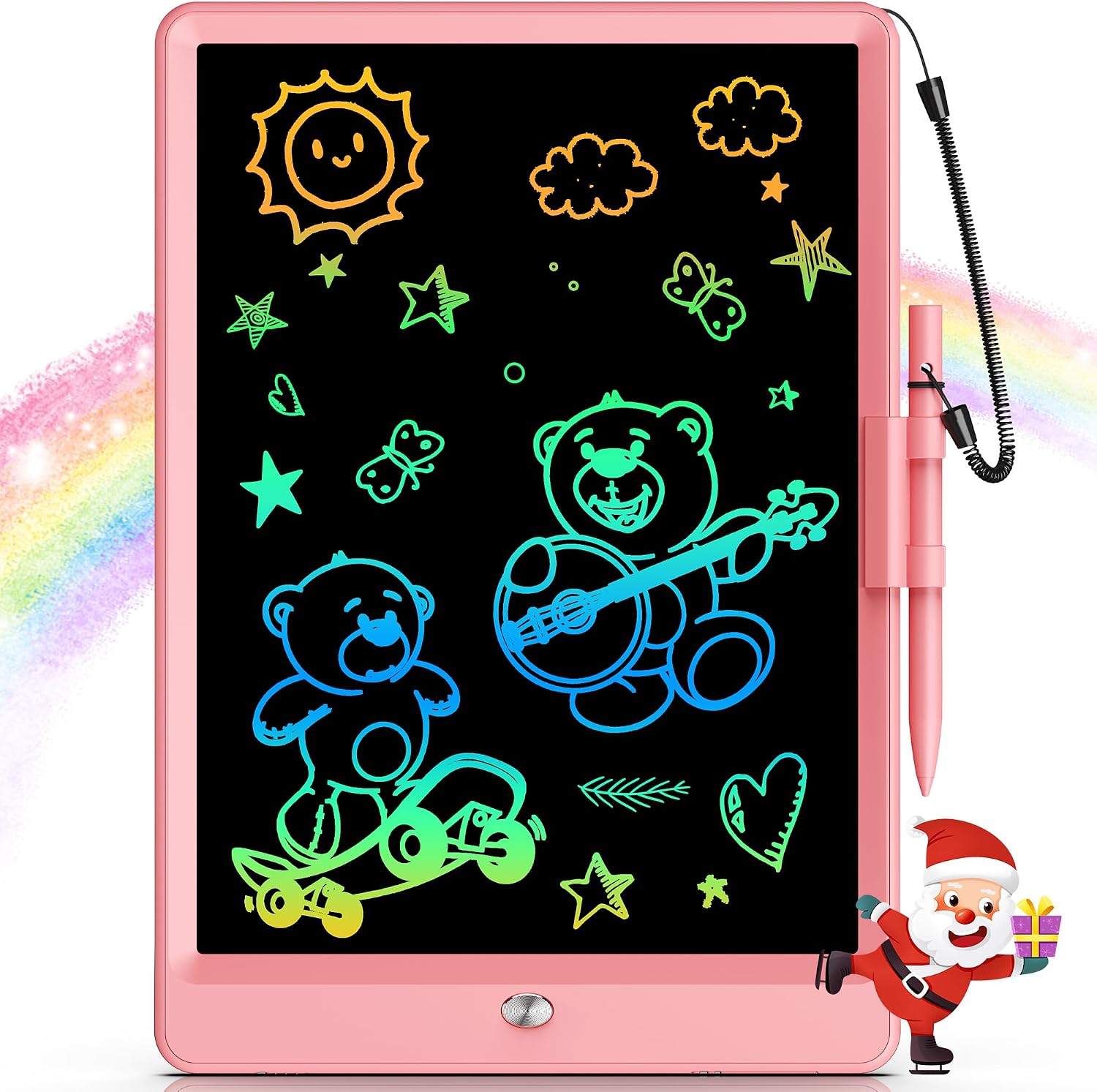
| BEST SCREEN-FREE | 10 Inch LCD Writing Tablet | Car rides, waiting rooms, quiet time | A glare-free colour screen that rewrites 100,000 times and never needs paper |
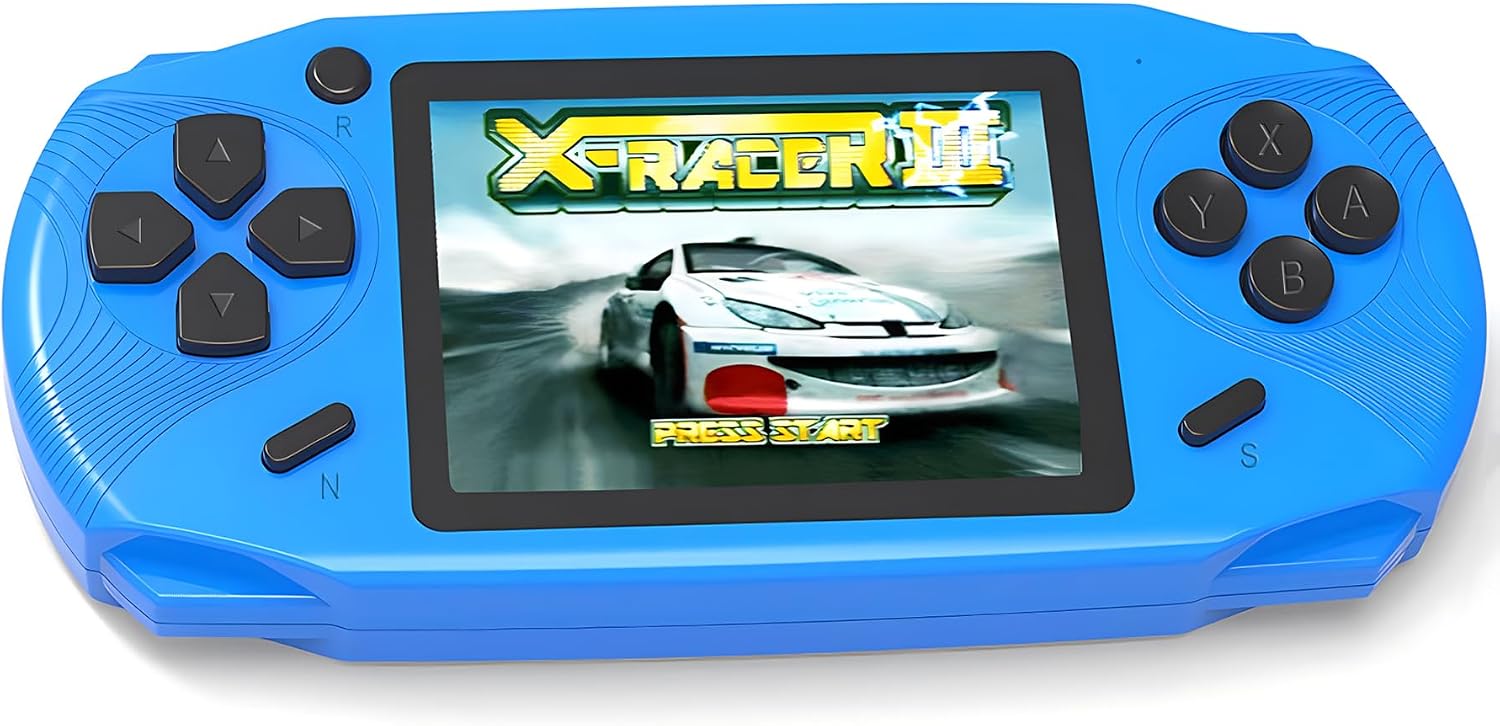
| BEST RETRO PICK | 16 Bit Handheld, 220 Games | Long trips, sibling sharing | 220 preloaded games, no wifi, on a USB-C rechargeable console |
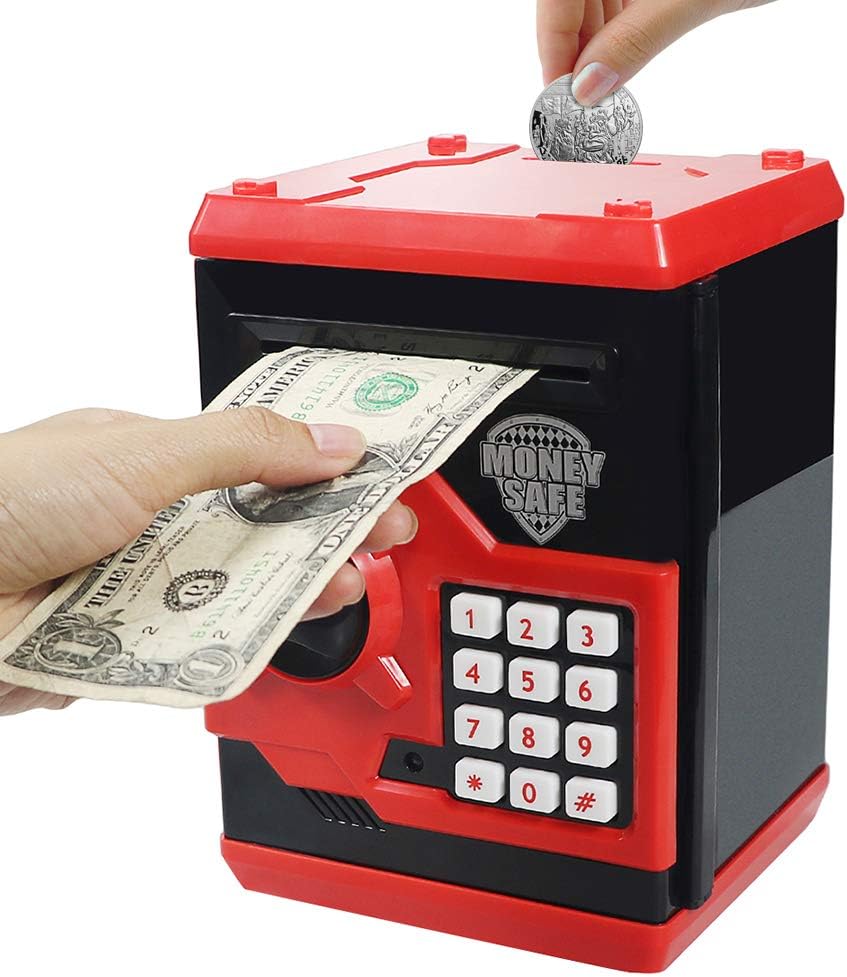
| BEST GIFT FOR SAVERS | HUSAN Electronic Piggy Bank | Teaching money habits early | A four-digit password lock and an ATM-style note feeder |
How the Five Compare
These five do not compete with each other, so the comparison is about what each one actually asks a child to do, and what you need to have ready before it can be used.
| Toy | Ages | What It Does | Setup | Skill |
|---|---|---|---|---|
| Snap Circuits SC-100 | 8+ | 100+ snapping circuits | None, no soldering | Electronics, logic |
| Holy Stone HS210 | Kids, beginners | Indoor quadcopter flight | Pair and charge 3 packs | Coordination |
| 10 Inch LCD Tablet | 3-8 | Draw, write, erase | Ready out of the box | Writing, drawing |
| 16 Bit Handheld | Kids and adults | 220 preloaded games | USB-C charge | Hand-eye, patience |
| HUSAN Piggy Bank | Kids | Stores coins and notes | Batteries, then set code | Saving, responsibility |
The 5 Best Electronic Toys in 2026
1. Snap Circuits Explorer SC-100
Elenco · Ages 8+ · 100+ projects · No soldering
BOTTOM LINE: the one electronic toy here that teaches something you can watch happen, and the one most likely to still be in use after the novelty wears off.
The SC-100 works on a simple idea: real components, built into real circuits, snapped together on a plastic base grid instead of wired and soldered. A child places a motor, a lamp, a switch or a speaker onto the grid, follows the full-colour manual, and the circuit runs. Over 100 projects are included, and the sequence is arranged so each one adds a single idea rather than starting from nothing.
That structure is why it holds attention. A child who builds a lamp circuit, then adds a switch, then replaces the lamp with a motor, is doing the same thing an engineer does: changing one variable and observing the result. Nothing needs to be charged, nothing needs a screen, and the parts are robust enough to be assembled and taken apart repeatedly.
It is rated for ages 8 and up, which is about right for reading the manual independently. Younger children can use it with an adult, and it remains useful at 10 or 11 through the more complex projects. The kit has picked up a number of toy industry awards, and it combines with other Snap Circuits sets if your child works through this one.
KEY SPECS
Ages: 8 and up
Projects: over 100
Assembly: snap-together modules, no soldering, no tools
Includes: full-colour project manual and component set
Extends: compatible with other Snap Circuits kits
PROS
✓ Real electrical components, not a simulation
✓ No soldering, so a child can build alone
✓ 100+ projects in a deliberate learning order
✓ Reusable, and expandable with other kits
CONS
○ Too advanced for most 5 or 6 year olds without help
○ Loose parts need to be kept together
○ Packaging artwork varies between batches
2. Holy Stone HS210 Mini Drone
Holy Stone · Nano quadcopter · 3 batteries · Up to 21 minutes
BOTTOM LINE: the drone we would actually hand to a beginner indoors, because altitude hold and guarded props make the first hour flyable instead of frustrating.
The HS210 addresses the two things that make small drones miserable to learn on. The first is drift: without altitude hold, a nano drone wanders up and down until the pilot gives up. With it, the drone holds its height on its own and the learner only manages direction. The second is orientation confusion: headless mode makes controls relative to where the pilot is standing rather than to the nose of the drone, which is the difference between flying and constantly correcting.
Three batteries are included and each is short, giving up to 21 minutes of total flight time with a low-battery alarm before the drone drops. Anyone who has flown a one-battery mini drone knows that the charging wait is what ends a session, so this is a real usability point rather than a spec-sheet extra. It also performs 3D flips, circle fly and auto rotation, plus a toss-to-launch that starts the motors when the drone is thrown.
Propeller guards isolate the blades, protecting both the child’s fingers and the drone itself from a wall impact. Speed is adjustable, so a nervous first flight can be slowed down and opened up later. The one thing to know before buying two: each drone and controller must be powered on and paired separately, or the radios interfere.
KEY SPECS
Type: nano quadcopter, indoor and outdoor
Flight time: up to 21 minutes across 3 batteries
Assists: altitude hold, headless mode, one-key takeoff
Stunts: 3D flips, circle fly, auto rotation, toss to launch
Safety: guarded propellers, low battery alarm, adjustable speed
PROS
✓ Altitude hold makes the first flight genuinely stable
✓ Three batteries, so sessions do not end at the charger
✓ Guarded props protect fingers and walls
✓ Adjustable speed grows with the pilot
CONS
○ Each battery is short, so 21 minutes is total, not per pack
○ Indoor flying still needs a calm pair of hands
○ Two drones need separate pairing, one at a time
3. 10 Inch LCD Writing Tablet
LCD doodle board · Ages 3-8 · 100,000+ rewrites
BOTTOM LINE: the travel toy. It gives a three year old something to do for forty minutes in a car without a screen, a battery drain or a bag of crayons.
An LCD writing tablet works on a pressure-sensitive panel: press with the stylus or a fingernail and a line appears, press harder and the line thickens, then one button erases everything instantly. There is no glare and no backlight, so unlike a real tablet it does not emit light into a child’s face, and it cannot install an app, show an advert or ask for a password.
The 10-inch panel is the right size for a child to draw a full picture rather than a scribble, and the surface is rated for more than 100,000 rewrites, which in practice means years of use on the original coin cell. A lock switch prevents an accidental erase of something worth keeping until it can be photographed.
The physical design is aimed squarely at small children: rounded corners, a plastic body that survives being dropped, and a weight low enough that it can be held one-handed. It is the cheapest item on this list and the one most likely to be used daily, because drawing needs no setup and no adult to supervise it.
KEY SPECS
Ages: 3-8
Screen: 10 inch colour LCD, no glare, no backlight
Lifespan: rated for 100,000+ rewrites
Build: rounded corners, drop-resistant plastic, lightweight
Extras: one-touch erase, screen lock, stylus included
PROS
✓ Genuinely screen-free: no apps, no light, no noise
✓ 100,000 rewrites on one battery
✓ Survives being dropped and carried
✓ Quiet enough for a restaurant or a waiting room
CONS
○ Drawings cannot be saved except as a photo
○ The stylus is easy for a toddler to lose
○ Older children outgrow it quickly
4. 16 Bit Handheld, 220 Preloaded Games
Retro console · 3.0 inch screen · USB-C · 6+ hours
BOTTOM LINE: the pick for a long car journey or a flight, because 220 games are already on the device and none of them need wifi, an account or an update.
This is a self-contained console in the older sense: a 3.0-inch screen, a rechargeable battery rated at six or more hours, and 220 sixteen-bit games preloaded across puzzle, action, arcade and educational categories. Nothing needs to be downloaded, which is the whole point for a parent who does not want a child on the internet in the back seat.
The build is aimed at children rather than collectors: a contoured body that fits small hands, a responsive button layout, and USB-C charging rather than a drawer full of disposable batteries. It is also not a one-child device in practice, because the game list is broad enough that siblings will find different favourites on the same console.
The limitation worth being clear about is that these are sixteen-bit era games, not modern ones. A child used to current console graphics will notice the difference immediately. What keeps it in the bag is the variety and the zero-setup reality: pick it up, turn it on, play, which is exactly what a travel toy has to do.
KEY SPECS
Games: 220 preloaded, no wifi or downloads
Screen: 3.0 inch
Battery: USB-C rechargeable, 6+ hours per charge
Build: contoured grip sized for children
Categories: puzzle, action, arcade, educational
PROS
✓ 220 games with no internet or account
✓ USB-C charging, six hours per fill
✓ Comfortable for small hands
✓ Wide enough selection for two children
CONS
○ Sixteen-bit graphics look dated next to modern consoles
○ A 3-inch screen is small for drawn-out sessions
○ Many games are not translated, so some are guesswork
5. HUSAN Electronic Piggy Bank
HUSAN · Password lock · Coin and note storage · ABS plastic
BOTTOM LINE: the one toy here that turns saving into something a child wants to do, because the machine behaves like an ATM rather than a jar.
The HUSAN bank is an electronic version of the classic coin box with one addition that changes the whole experience: a four-digit password lock. Set a code, and the bank becomes the child’s private box. Nobody can open it without the number, which is exactly the sort of small responsibility a six or seven year old takes seriously.
It accepts two kinds of money in two different ways. Coins drop through a slot on top; notes go in at the front and are drawn in automatically, which is the detail that makes it feel like a real cash machine rather than a decorated box. The stated capacity is around 600 coins or 100 notes, so it will hold a few years of pocket money before it needs emptying.
The body is ABS plastic with an anti-fall construction, and the whole unit is roughly the size of a hardback book, small enough for a shelf and heavy enough not to be knocked over constantly. It requires batteries to run the note feeder and the electronics, and it arrives with a manual for setting the code from the default.
KEY SPECS
Security: 4-digit password, changeable from the default
Capacity: about 600 coins or 100 notes
Inputs: coin slot on top, automatic note feeder at the front
Material: ABS plastic, anti-fall construction
Power: batteries required, manual included
PROS
✓ Password lock makes saving feel like ownership
✓ Automatic note feeder, not just a coin slot
✓ Large capacity for years of pocket money
✓ Tough ABS body in a shelf-friendly size
CONS
○ Needs batteries, so it is not a purely mechanical toy
○ A child who forgets the code will need help
○ The interest is in the mechanism, not in playing
How We Chose
We started from the five products in our earlier version and checked every listing against Amazon. One had been discontinued and replaced, one had been rebranded with a new product name, and one now ships with a substantially larger game library than the article described, so the list was rebuilt around what is actually available rather than edited around what used to be.
Each pick had to do something a child can control and observe, not simply produce light and sound. That rule removed several best-selling toys with impressive packaging and short attention spans, and it is why the five here sit in different categories: building, flying, drawing, gaming and saving.
The age ranges and specifications quoted come from the current listings. Where a toy depends on batteries, that is stated in the specs rather than left for you to discover on a birthday morning.
Why Trust Pliizy?
We do not take payment for placement and none of the brands here have paid to appear. The drawbacks listed under each toy are the ones owners mention most often, not the ones that are convenient to leave out.
Every product was confirmed in stock on Amazon US at the time of writing. Links in this article are affiliate links: if you buy through one we may earn a commission at no extra cost to you, and it does not affect which toys make the list.
A Guide on Electronic Toys
Toys are a source of joy for young children, and there is more to one than a piece of moulded plastic. A good electronic toy adds something to what a child already understands, whether that is a circuit, a control stick or a drawing surface. Traditional toys still do most of this work, and electronic ones are worth buying only when they do a job the traditional set cannot.
The fun element
The first test of any electronic toy is whether a child returns to it without being asked. A simple rattling toy will not hold a seven year old, and a doll with automatic replies will not hold a six month old. What keeps a toy in use is a loop the child can repeat and vary: build, test, change, build again.
A toy that is genuinely interesting gets handled carefully, which is a useful signal in itself. Children are hard on things they do not care about. If a toy is being thrown around after a week, it was probably never doing anything for them.
Safety standards
Toys bought locally or imported should carry the safety certification of the market they are sold in. Follow the age grading on the box rather than the child’s apparent maturity, and read the manual before the first use rather than after the first problem.
Batteries are the specific hazard in this category. Small button cells are a serious choking risk and can cause internal injury within hours if swallowed, so a battery compartment secured with a screw is a feature to look for rather than an inconvenience. Loose batteries should be kept out of reach entirely.
Are the components meaningful?
Every electronic part of a toy should have a purpose a child can discover. A pair of lights added to increase the glow does nothing; a horn that sounds when the toy train stops teaches that one action causes another, which is the beginning of understanding how a machine works.
This is where the difference between an electronic toy and a toy with electronics shows up. The first rewards curiosity with a result, the second rewards a button press with a noise. Both will be played with; only one will still be played with in six months.
A balanced toy collection
When a new toy arrives, the common outcome is that the older collection is abandoned for a week and then slowly returns. That is normal, but it is worth steering: a new toy should mix into the set rather than replace it, the same way a diet has to stay varied to be useful.
The practical version of this is to buy toys that overlap with existing play instead of duplicating it. If your child already has a building set, adding a circuit kit extends that interest; adding a second building set just adds another box. The five toys here are deliberately spread across different kinds of play for that reason.
Value the age of your child
- If your child is still a young baby, your time matters more than any plastic toy. Early months are about bonding and forming the attachments that last, and no electronic toy substitutes for that.
- For ages two to four, choose toys with a simple, traditional structure. Cause and effect with one obvious result is what that age can use, and complicated menus are just noise.
- From seven upwards, choose electronic toys that let a child learn something new. That is the age when a manual can be followed and a project finished, which is exactly what a kit like the SC-100 is built for.
Conclusion
Toys are a simple way to make a child happy, and a little research before buying goes further than most parents expect. Every child is different, so there is no universal list: the five here are five different routes into the same thing, which is a child spending time on something they chose to do. Pick the category that matches the child in front of you, check the age grading and the battery arrangement, and buy one good example rather than three cheap ones.
Frequently Asked Questions
What age is the Snap Circuits SC-100 actually suitable for?
The kit is rated for ages 8 and up, which matches the reading level of its project manual. A six or seven year old can build the simpler circuits with an adult reading the steps aloud, and the same kit stays useful into the early teens as projects get more complex.
Is a mini drone a good first electronic toy?
It is a good first flying toy if it has altitude hold and guarded propellers, because those two features remove the two reasons beginners give up: constant height correction and fear of hitting something. Without them, a nano drone is usually flown twice and then left in a drawer.
Do LCD writing tablets need to be charged?
No. These tablets hold an image without power and only need a small internal battery to clear the screen, which typically lasts for the life of the toy across tens of thousands of erases. There is no charging routine and no app to update.
Are retro handheld consoles too dated for children today?
The graphics are, but the games are not. Sixteen-bit era titles are built around clear rules and short sessions, which suits children well, and 220 preloaded games with no internet access make it a genuinely useful travel device. Expect a child raised on modern consoles to comment on the visuals and then keep playing.
At what age does an electronic piggy bank make sense?
Around six or seven, which is when a child can understand a four-digit code and take responsibility for keeping money in one place. Younger children enjoy the mechanism but will need help with the lock; older children tend to prefer a real bank account to a box.


