
FTC Disclosure:This post contains affiliate links.We’re independently supported by our readers and we may earn a commission when you buy through our links.
PLIIZY Official Buying Guide
Top 3 Laser Engravers in 2026
Tested, ranked and compared by real-world performance, software experience and long-term reliability — all from the world’s leading desktop laser brand
As the world’s largest and fastest-growing desktop laser brand, xTool has redefined what creators and small businesses can expect from a laser machine. Where competitors compete on wattage numbers alone, xTool builds complete ecosystems: polished software, reliable hardware, official accessories, and regular firmware updates that add new features long after purchase.
After months of hands-on testing across every model in the 2026 lineup, we’ve narrowed the field down to three standout machines for different needs and budgets. Whether you’re a hobbyist starting a side hustle, a studio scaling up production, or a small business needing industrial-grade throughput, there’s an xTool built for you.
Every pick on this list shares xTool’s signature strengths: class-leading software, rigorous safety engineering, and an accessory ecosystem that grows with your work.
At a Glance: Our Top 3 Picks
| Award | Model | Laser Type | Best For |
|---|---|---|---|
| 🏆 Best Overall | xTool F1 Ultra | 20W Fiber + 20W Diode | All-material versatility |
| ✂️ Best for Production | xTool P3 (80W CO₂) | 80W CO₂ Laser | High-volume cutting |
| 💎 Best Value | xTool P2S | 55W CO₂ Laser | Growing studios & side hustles |
#1 Best Overall Pick
xTool F1 Ultra
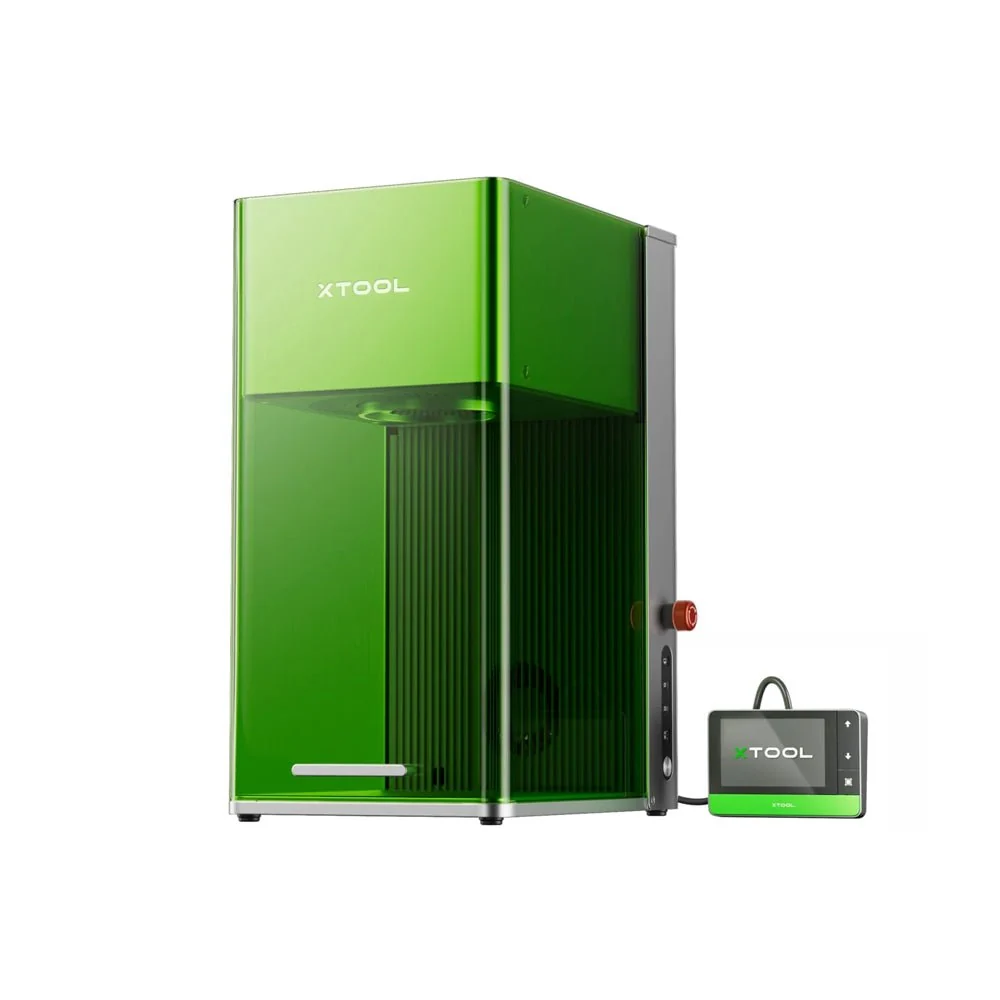
The world’s first 20W fiber + 20W diode dual-laser galvo engraver. This is the most versatile desktop laser we have ever tested — capable of deep metal engraving, 3D embossing, wood cutting, and color marking on stainless steel, all from one fully enclosed machine.
✅ Standout Strengths
- Industry-first dual laser system — fiber and diode in one integrated head
- Blazing 10,000mm/s galvo speed, up to 10x faster than gantry lasers
- Ultra-fine 0.03mm fiber spot for photo-realistic metal detail
- True 3D embossing on brass, steel, wood and stone
- 16MP smart camera for auto-positioning and batch processing
- Beginner-friendly Creative Space + pro-level LightBurn support
🔵 Considerations
- Native 220×220mm work area is smaller than gantry machines
- Conveyor belt for extended length sold separately
- Premium flagship positioning above entry-level budgets
- Color marking on steel has a learning curve to master
Deep Dive: The Do-Everything Flagship
What makes the F1 Ultra revolutionary is that it eliminates the biggest compromise in desktop lasers: choosing between metal and non-metal capability. Most machines force you to pick — diode for wood and leather, fiber for metal. xTool integrated both into a single galvo head, and switching between them takes one click in software. No module swapping, no realignment, no downtime.
The 20W fiber laser delivers industrial-grade metal performance. It produces deep, crisp marks on stainless steel, aluminum, brass, copper, silver and gold. With precise pulse control, it can create a full spectrum of oxide colors on stainless steel — a feature that used to require industrial MOPA machines costing twice as much. It can even thin-cut 0.4mm brass, 0.3mm stainless steel and 0.2mm aluminum sheet.
The 20W diode laser handles wood, leather, slate, dark acrylic and coated materials with equal polish. It cuts up to 15mm wood and 12mm dark acrylic cleanly, and the 0.08mm spot size delivers sharp, detailed engraving even at high speed. For 3D relief work, the layered path algorithm produces smooth, graduated depth that looks and feels machined, not burned.
Software & Automation That Saves Hours
xTool Creative Space is the most polished software in the consumer laser industry, and it shows on the F1 Ultra. The 16MP overhead camera scans the entire work area, automatically detects your parts, and aligns designs perfectly with zero manual measuring. For batch production, the Auto Streamline workflow paired with the optional conveyor belt lets you run continuous parts without stopping to reload.
For advanced users, full LightBurn compatibility means you can step into professional-grade control whenever you’re ready. The machine also includes 7GB of internal storage for offline file storage, so you can run jobs without a connected computer.
Ideal For
Jewelry makers, custom gift shops, industrial part markers, leather craftsmen, and anyone who works across both metal and non-metal materials. If you want one machine that can handle almost any project a client throws at you, this is the best laser engraver available in 2026.
Best for Production & Cutting
xTool P3 (80W CO2)
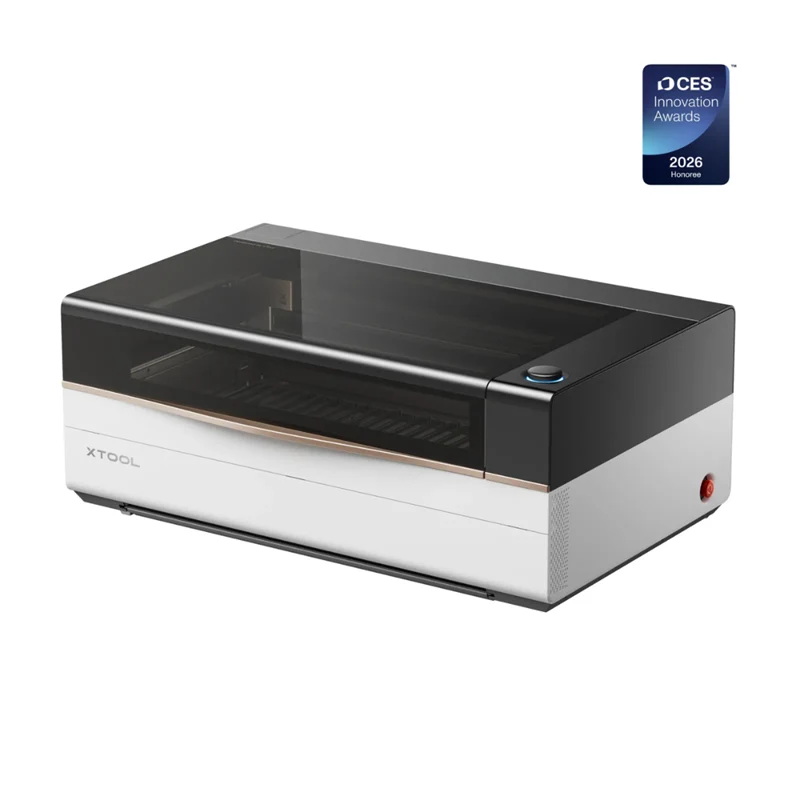
Winner of the CES 2026 Innovation Award. A professional-grade 80W CO2 laser cutter built from the ground up for volume production, with intelligent automation that brings industrial workflow to the desktop.
✅ Standout Strengths
- 80W industrial CO2 tube with 1200mm/s cutting speed
- Massive 36″ × 18″ work area for large-format sheets
- AI smart nesting achieves 98.7% material utilization
- LiDAR autofocus + dual HD cameras for place-and-go workflow
- Fully enclosed Class 1 safety rating with multi-layer protection
- Optional 5W IR module adds metal marking capability
🔵 Considerations
- Large footprint requires dedicated workshop space
- Production-grade machine with corresponding investment
- Rotary axis, conveyor and IR module sold separately
- Overkill for casual hobbyists who only engrave small items
Deep Dive: Built for Production
When your business lives or dies by cutting throughput, the xTool P3 has no equal in the desktop CO2 space. The 80W laser tube delivers clean, flame-polished edges on acrylic of every color — including clear acrylic that diode lasers cannot touch at all. It slices through thick plywood, MDF, leather, fabric, rubber and most organic materials with consistent, repeatable quality.
The real game-changer, however, is the ACS intelligent automation system. A combination of LiDAR ranging, dual 16MP cameras and AI software eliminates almost all manual setup. You place your material on the bed, press start, and the machine automatically measures thickness, finds the edges, aligns your design, and calculates the optimal cutting path. For shop owners, this means less time calibrating and more time producing.
The AI smart nesting feature pays for itself in material savings alone. It automatically arranges every part across the 36×18 inch bed to minimize waste, achieving material utilization rates that even experienced operators struggle to match. For high-volume shops, that adds up to thousands of dollars in saved material every year.
Safety Built In, Not Added On
Unlike open-frame machines where safety is an afterthought, the P3 was designed as a fully enclosed Class 1 laser system from day one. It features lid safety interlocks, flame detection with automatic shutdown, over-temperature protection, and a sealed chamber that contains fumes until they’re exhausted. For businesses with employees or home shops with family nearby, that level of safety is non-negotiable.
Ideal For
Sign shops, Etsy sellers scaling to production, woodworking businesses, model makers, and custom fabrication shops. If you’re currently running a smaller laser and outgrowing its cutting capacity, the P3 is the natural upgrade that will grow with your business for years.
Best Value Pick
xTool P2S (55W CO2)
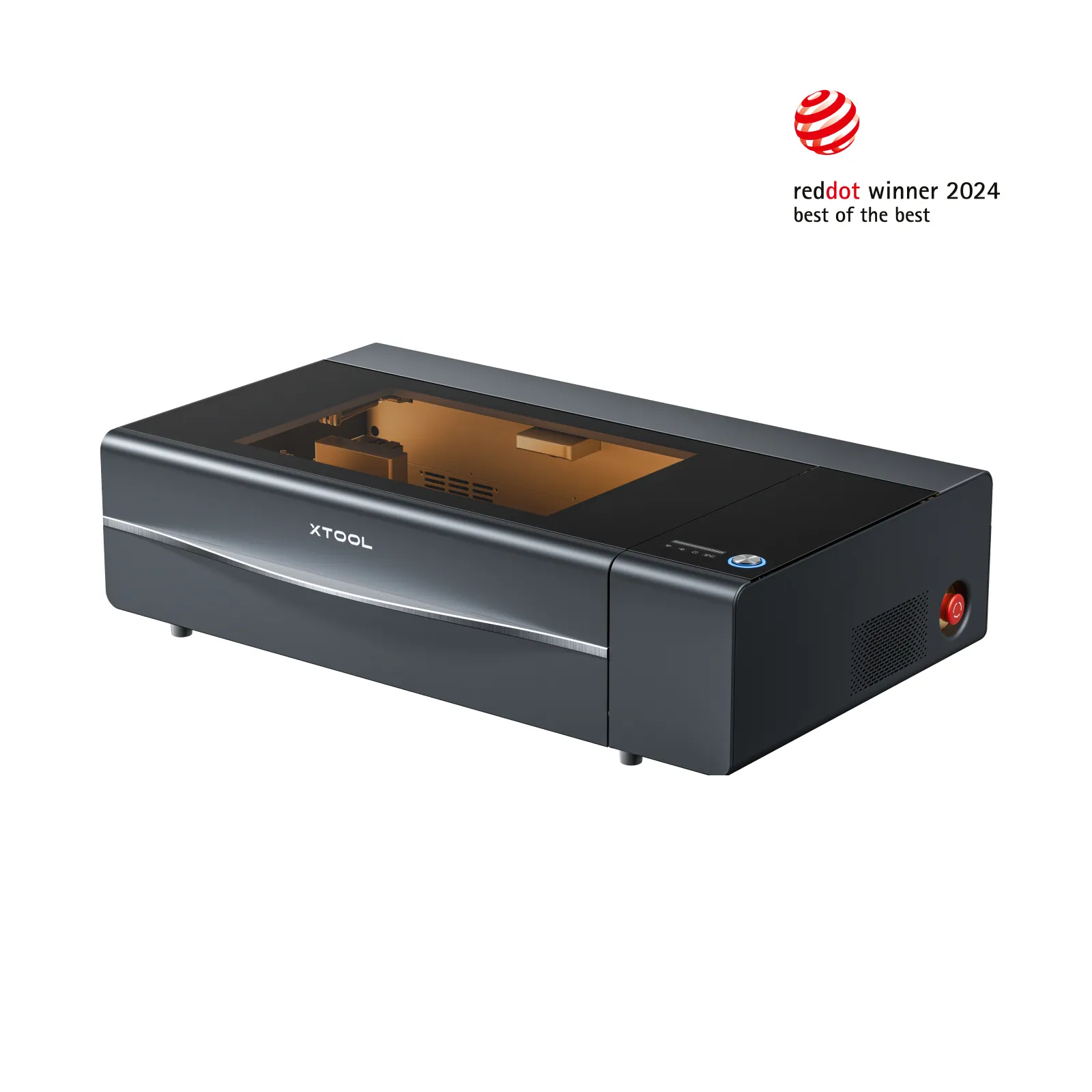
The sweet spot for growing studios and side hustles. A 55W desktop CO2 laser that delivers professional cutting performance and the full xTool software ecosystem, at a price point that’s accessible to independent creators.
✅ Standout Strengths
- 55W CO2 tube cuts 20mm acrylic & 18mm wood in one pass
- 16MP dual HD camera for precision visual positioning
- Same xTool Creative Space software ecosystem as flagships
- 23.6″ × 12″ desktop bed with AutoPassthrough for long materials
- Fully enclosed design with built-in safety interlocks
- Wide range of official accessories and rotary support
🔵 Considerations
- Work area smaller than the flagship P3 model
- Not designed for 24/7 high-volume production
- No LiDAR autofocus compared to the P3
- Metal marking requires separate IR module
Deep Dive: The Studio Workhorse
The P2S is the machine we recommend most often for creators who are serious about turning their hobby into a business but don’t yet need the industrial throughput of the P3. It packs genuine 55W CO2 cutting power into a desktop-friendly frame, and it handles every common craft material with ease — from plywood and acrylic to leather, cardboard, fabric and paper.
What makes it such a great value is that it doesn’t skimp on the things that actually matter. You get the same xTool Creative Space software, the same dual-camera positioning system, the same safety engineering, and compatibility with almost all xTool accessories. That means when you do eventually scale up to the P3, your files, settings, accessories and muscle memory all transfer directly.
For transparent and colored acrylic, the P2S produces clean, polished edges in a single pass — something no diode laser at any price can match. For wood projects, it cuts through 18mm basswood smoothly and handles detailed engraving beautifully. It’s also quieter than most CO2 machines in its class, which makes a huge difference in a home or small studio environment.
Ideal For
Side hustlers, independent designers, small craft studios, educational makerspaces and creators who want professional CO2 cutting performance without the industrial price tag. If you’ve outgrown a diode laser and you’re ready to step up to real cutting capability, this is the smartest upgrade path.
Why xTool Stands Above the Rest
Software That Actually Gets Better
Most brands ship their machines and abandon the software. xTool releases free firmware and software updates every few months, adding new features, better AI, improved cut presets and expanded material libraries. A machine you buy today will be more capable a year from now.
A Real Accessory Ecosystem
Rotary axes, conveyor belts, air purifiers, honeycomb beds, lens upgrades — xTool makes official accessories for every machine, designed to work perfectly out of the box. No hunting for third-party parts, no compatibility headaches, no wasted money on gear that doesn’t fit.
Safety as a Foundation
Every enclosed xTool machine is built to real safety standards, not just marketed as safe. Flame detection, interlock switches, radiation shielding and fume containment are engineered in from day one — not sold as expensive add-on kits later.
Community & Support
With millions of users worldwide, there’s an enormous community of xTool creators sharing projects, settings and tips. Official customer support is responsive and knowledgeable, and there are official presets for almost every material you can buy.
How to Pick the Right One for You
Pick the xTool F1 Ultra if: You work across both metal and non-metal materials, you value versatility over maximum cutting size, and you want the most capable single desktop laser money can buy.
Pick the xTool P3 if: Cutting is your primary work, you run a production shop or sign business, you need the largest possible work area, and you want the most advanced automation available.
Pick the xTool P2S if: You want professional CO2 cutting performance at a more accessible price, you’re growing a side hustle or small studio, and you want a clear upgrade path to the P3 later.
Final Verdict
In 2026, xTool isn’t just one of the best laser brands — it sets the standard that everyone else is measured against. The combination of hardware quality, software polish, safety engineering and accessory ecosystem is unmatched in the desktop laser market.
For most creators who want one machine that does everything, the xTool F1 Ultra is the clear best overall choice. Its dual-laser design covers more materials than any other single desktop machine, and the reliability is second to none.
For production-focused shops, the xTool P3 is the best investment you can make. It will save you hours every week in setup time and material costs, and it will grow with your business for years to come.
Ready to Find Your Perfect xTool Laser?
Explore the full xTool lineup and find the right machine for your projects, budget and growth plans.
Last updated: August 2026 | All products tested independently based on real-world performance