
FTC Disclosure:This post contains affiliate links.We’re independently supported by our readers and we may earn a commission when you buy through our links.

Whatever your creation dreams are for vinyl, metal, or wood, xTool has the tool for the task. The company celebrates innovations and promotes creativity through its easy-to-use and readily accessible laser cutters.Fans are receptive to them too, evidenced by their 19.5k Instagram followers. The interest in the brand has also got them media attention, with features in Forbes, Fast Company, and Make. That’s a lot of progress in a short amount of time for this new company.
Table of Contents
Overview of xTool
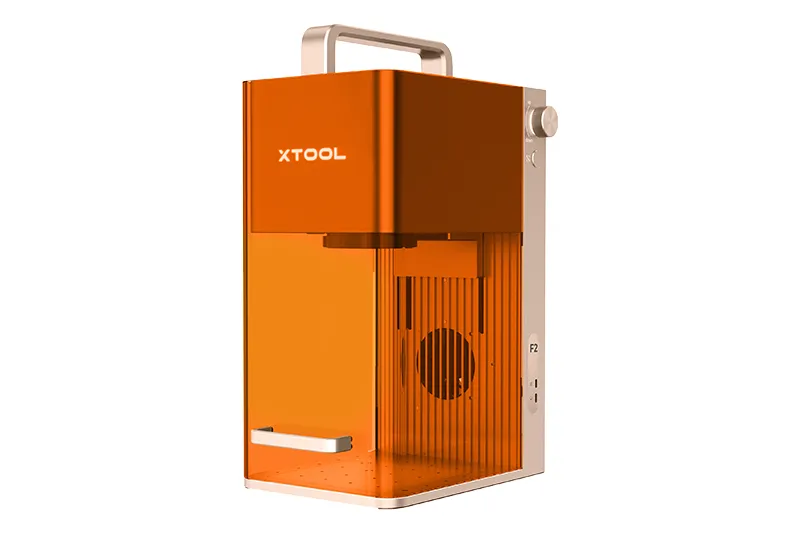
xTool may be a relatively new name, officially launching its product line in 2021, but the company’s roots go much deeper. It was developed under Makeblock, a brand founded by Jasen Wang over a decade earlier with a mission to empower creativity and hands-on learning through STEM education. That foundation helped shape xTool’s focus on accessibility, innovation, and creative expression.
In 2020, the company made a strategic shift away from purely educational tools and toward more tactile, creator-focused technology. This transition led to the development of laser engravers and cutters designed to bring warmth, personalization, and artistry to materials like wood, metal, and acrylic—surfaces often seen as rigid or industrial.That pivot proved successful. In a short time, xTool has become one of the most recognizable names in the laser engraving space, earning a strong reputation among hobbyists, small business owners, and makers who want powerful tools without a steep learning curve.
Why You Should Trust Us
Our goal is simple: to help you make confident, well-informed purchasing decisions. We invest significant time researching each product, analyzing real customer feedback, consulting expert opinions, and reviewing brand claims to ensure the information we share is accurate, balanced, and useful. Our recommendations are based on careful evaluation—not hype—so you can shop with clarity and confidence.
xTool specializes in smart desktop laser cutters and engravers designed to make creative work more accessible. The brand is especially well-suited for first-time engravers, thanks to its user-friendly design and strong community support. Buyers also benefit from flexible financing through Affirm, overseas shipping options, a 15-day return window, and an active online community filled with makers sharing tips, projects, and inspiration.
xTool products are built for creatives who work with physical materials like wood, metal, acrylic, and leather. While the lineup is extensive, the brand’s offerings generally fall into four main categories: machines, accessories, materials, and services. Together, these components create a complete ecosystem that supports both beginners and experienced makers at every stage of their creative process.
xTool D1 Review
The xTool D1 series is one of the brand’s most popular and widely used product lines—and for good reason. Designed to balance performance, affordability, and ease of use, the D1 lineup appeals to both beginners and experienced makers who want reliable laser engraving and cutting without a steep learning curve.In this section of the xTool review, we’ll take a closer look at the D1 models, exploring what makes them stand out, who they’re best suited for, and why they’ve become a go-to choice within the xTool ecosystem.
xTool D1 10W + RA2 Pro Review
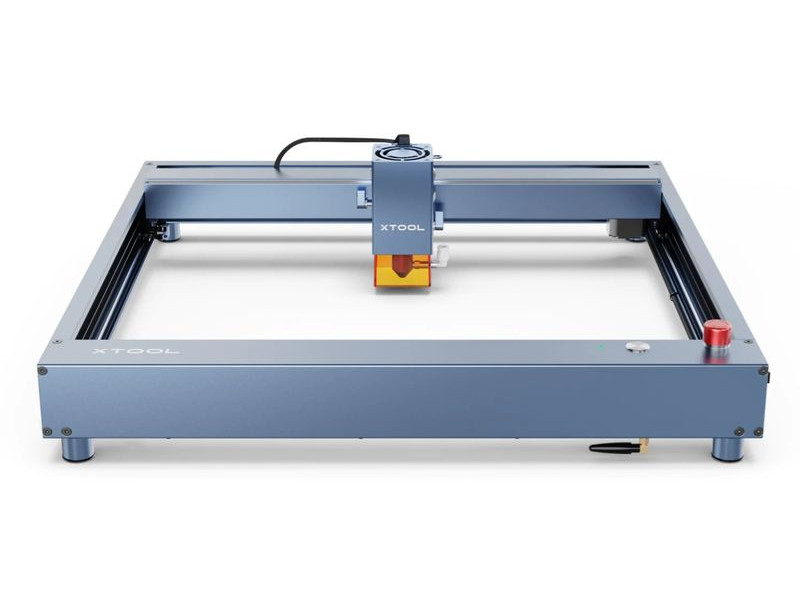
The xTool D1 10W paired with the RA2 Pro rotary attachment is an excellent entry point for anyone new to laser engraving and cutting. With precise aiming, an easy-to-use focusing system, a generous 17” × 16” engraving area, and multiple file-sharing options, this machine is designed to make the learning process smooth and approachable while still delivering impressive results.
Users frequently praise the D1 for its accuracy and quality output, especially considering its beginner-friendly design. One customer shared, “The D1 model works well for a first-time user. I have friends who have lasers and marvel at the quality of mine.” That balance of simplicity and performance makes it especially appealing for DIY creators and hobbyists.
Rather than feeling overly industrial or technical, the xTool D1 10W + RA2 Pro is built to support hands-on creativity. Currently priced at $921 (down from its regular $1,116), it offers strong value for those looking to invest in a reliable, high-precision laser machine without the intimidation factor of more complex systems.
xTool D1 Pro 20W Review
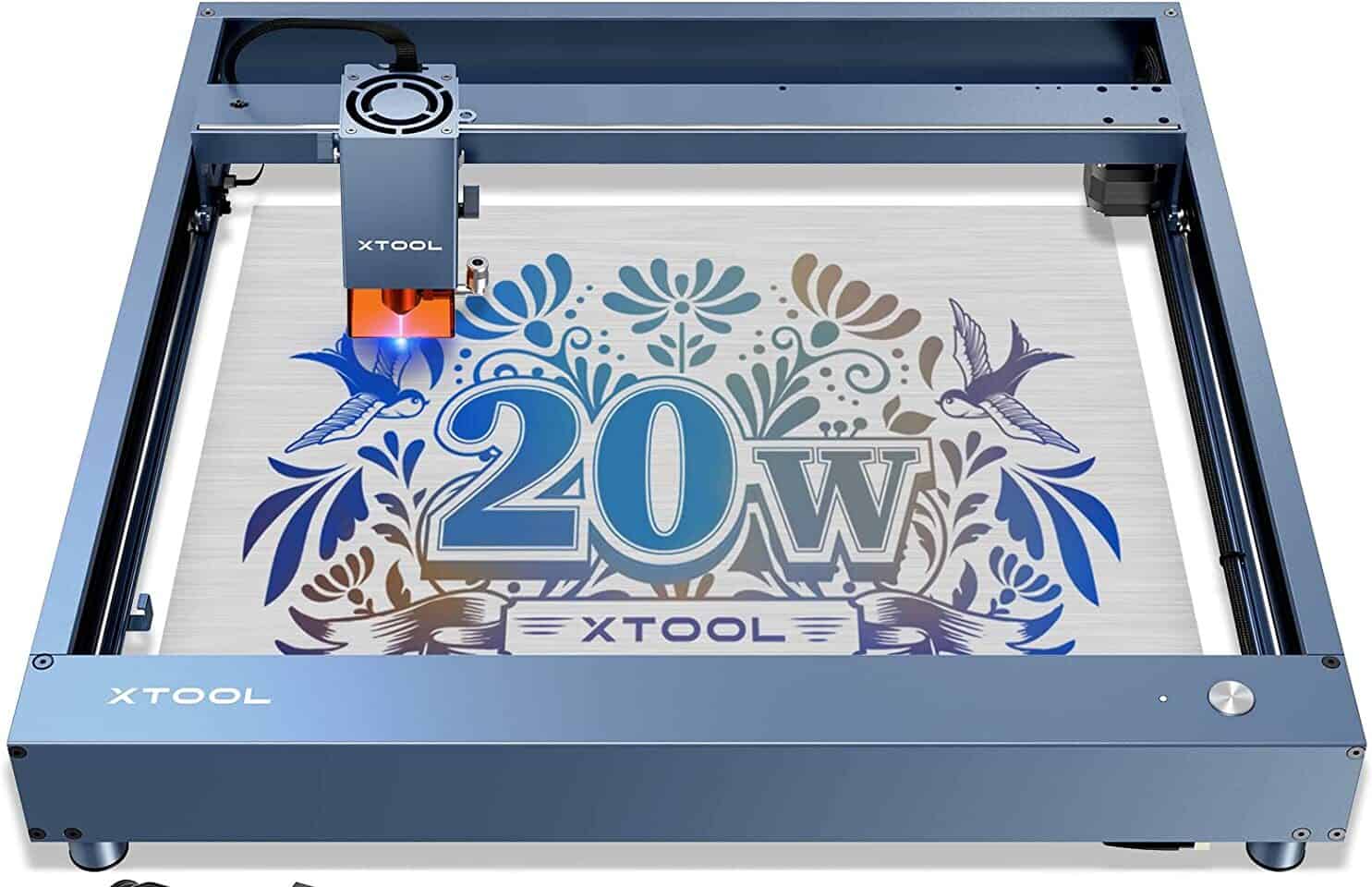
The xTool D1 Pro 20W takes the D1 lineup up a notch with impressive precision and speed. Offering accuracy down to 0.01 mm and engraving speeds of up to 400 mm/s, this diode laser engraving and cutting machine is built for creators who want cleaner details and faster turnaround times without sacrificing ease of use.
Despite its advanced performance, the D1 Pro 20W remains highly accessible for beginners. Its compact footprint and intuitive operation make it suitable for home workshops, classrooms, and small studios. One enthusiastic teacher summed it up perfectly: “This machine is the next thing to sliced bread. I just love it. It is easy to use, doesn’t take up much space, and I love the fact that each week the company puts out YouTube videos highlighting projects you can make with the machine.”
Currently priced at $1,200—down from its usual $1,400—the xTool D1 Pro 20W offers excellent value for anyone ready to step up their engraving and cutting capabilities. It’s a strong choice for both ambitious beginners and experienced makers who want speed, accuracy, and ongoing creative inspiration in one well-rounded machine.
xTool D1 Pro 10W Review
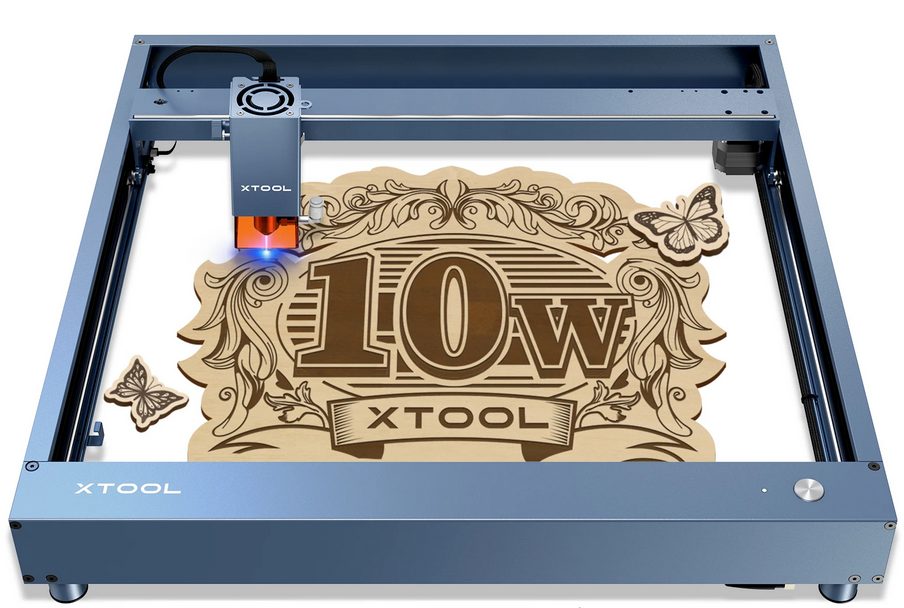
The xTool D1 Pro 10W is the most budget-friendly option in the D1 lineup, making it an appealing choice for creators who want reliable laser engraving and cutting performance without a higher price tag. If saving money is a priority, this model delivers strong value while still maintaining xTool’s reputation for precision and ease of use.
Despite its lower cost, the D1 Pro 10W offers impressive specifications. It features a movement speed of up to 10,000 mm/min, accuracy down to 0.01 mm, and a 10W power output—more than enough for detailed engraving and light to moderate cutting tasks. One user shared, “I have been using my D1 for about one month and so far it does everything I have asked of it,” highlighting its reliability for everyday projects.Currently priced at $700 (down from $850), the xTool D1 Pro 10W is an excellent entry point for beginners or hobbyists looking to explore laser engraving and cutting. It balances affordability with capable performance, making it a smart option for anyone starting their creative journey.
Who Is the xTool D1 For?
The xTool D1 is designed for creators who want a balanced mix of performance, precision, and ease of use without jumping straight into industrial-level equipment. Its combination of approachable setup, dependable results, and upgrade potential makes it a great fit for a wide range of users, includingI.f you’re just getting started with laser engraving and cutting — whether for home projects, personal gifts, décor, or craft creations — the D1 provides a smooth learning curve and produces clean, detailed work. Its intuitive design lets you focus more on creativity and less on technical complexity.Creators running or launching small ventures will appreciate the D1’s reliable performance and its ability to handle everyday engraving and cutting tasks. Whether you’re personalizing wood signs, leather goods, acrylic products, or custom gifts, the D1 delivers professional-quality results without a steep investment.
Its approachable design and safety features make the D1 suitable for educational environments (with appropriate supervision). Students and learners can explore laser fabrication fundamentals while producing real, tangible projects that reinforce design and engineering skills.The xTool D1 isn’t just a starter machine — it’s built to grow with you. With compatible accessories (like air assist, rotary attachments, and honeycomb tables) and software support (XCS and LightBurn), it can expand into more advanced capabilities as your skills evolve.
xTool S1 Review
Features
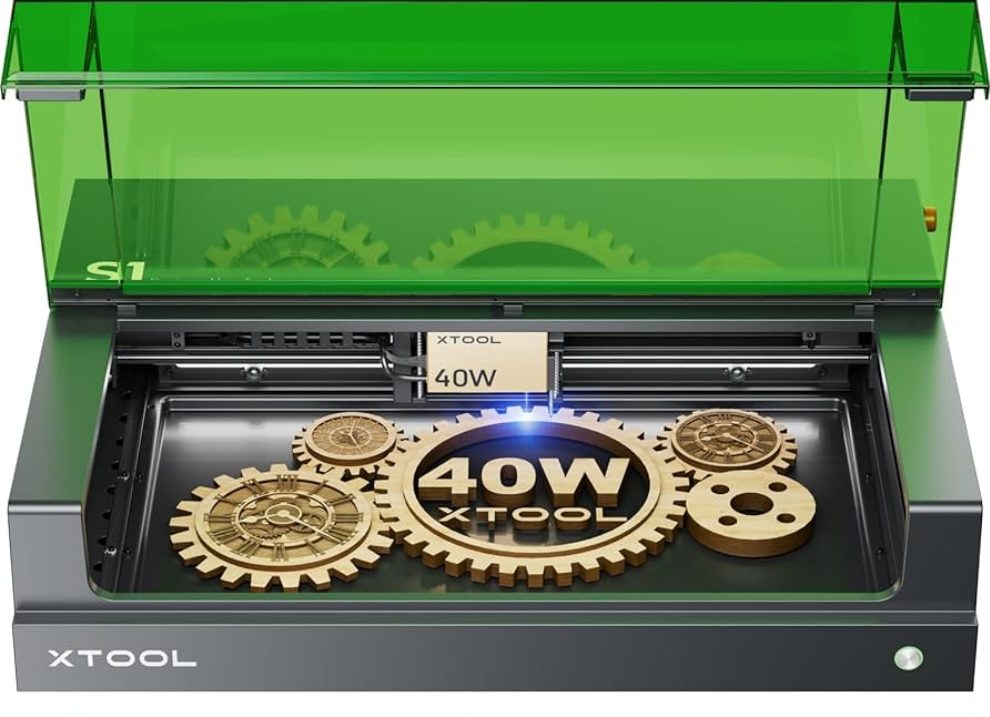
Safety is a standout strength of the xTool S1, making it one of the most user-friendly and secure laser engravers in its class. The machine features a fully enclosed, fire-resistant structure that prevents laser leakage, while the large, high-transparency lid uses dual-wavelength filtering to protect your eyes from both diode and 1064nm infrared lasers. This thoughtful design allows users to clearly observe the engraving or cutting process without the need for protective goggles, creating a safer and more comfortable working environment.
Beyond enclosure safety, the xTool S1 is equipped with a powerful smoke extraction system and active exhaust fan to quickly remove harmful fumes. Its multi-layer protection system further enhances peace of mind with advanced flame detection, automatic shutdown when the lid is opened, tilt and impact sensors, and a clearly accessible emergency stop button. Together, these safeguards ensure reliable operation and minimize risk, even during high-power tasks.
In terms of performance and creative flexibility, the xTool S1 delivers professional-level results with its 40W laser module, capable of cutting thick materials with speed and precision. Interchangeable laser options, automated passthrough for large projects, rotary engraving compatibility, and an optional riser base expand its capabilities far beyond standard desktop engravers. Combined with smart air assist for cleaner finishes, the S1 is a powerful and adaptable tool designed for creators who value safety, efficiency, and room to grow.
Accessories
xTool offers a well-rounded lineup of accessories designed to enhance the performance, safety, and versatility of the xTool S1. Core upgrades like the Air Assist and Honeycomb Panel focus on improving cut quality and finishing. The Air Assist boosts airflow during operation to produce cleaner, sharper cuts with reduced charring, while the Honeycomb provides stable material support, minimizing scorch marks and delivering more polished results on a wide range of materials.
For creators working with larger, thicker, or non-flat objects, xTool provides several expansion-focused accessories. The Riser Base raises the machine to accommodate bulkier items and comes in two versions to meet different regional laser safety standards. When paired with the RA2 Pro rotary attachment, users can engrave cylindrical and curved objects such as tumblers, bottles, and rings with high precision. The Automatic Conveyor Feeder further expands project potential by enabling automated passthrough engraving and cutting on materials up to 96 inches long—ideal for signs, panels, or batch production.
Safety and material versatility are also well supported through dedicated accessories. The Fire Safety Set adds an advanced layer of protection, helping prevent and manage fire risks during laser operation. To maintain a clean and healthy workspace, the Smoke Purifier filters up to 99.97% of airborne particles. Finally, the optional 1064nm laser module unlocks all-metal engraving, allowing users to work on stainless steel and other metals with fine detail. Together, these accessories transform the xTool S1 into a powerful, scalable system suited for both serious hobbyists and small business owners.
How to Operate the xTool S1
Getting started with the xTool S1 is straightforward, even for beginners. Begin by carefully unboxing the machine and checking that all components are included. Next, follow the official user manual to complete assembly and setup. The instructions are clear and walk you through positioning, connections, and basic calibration to ensure the machine is ready for use.
Once assembled, install the required software. xTool’s own XCS software is recommended for most users and can be downloaded directly from the xTool website. XCS is designed specifically for the S1 and supports its full range of features. For users who want more advanced design and control options, LightBurn is also compatible. After downloading and installing LightBurn, configure it using the S1 setup guide provided in the LightBurn user manual.
After software installation, perform a few test runs to confirm everything is working correctly. Try engraving or cutting on different materials to fine-tune settings and become familiar with the machine. While LightBurn supports essential functions such as focusing, framing, and rotary attachments, some advanced S1 features—like real-time laser positioning, material area measurement, and curved surface mode—may work best in XCS. For full compatibility and the smoothest experience, xTool’s native software is generally the preferred choice.
Who Is xTool S1 For?
The xTool S1 is ideal for creators who want a powerful yet safety-focused laser cutter without the steep learning curve of industrial machines. As a Class-1 certified system, it’s especially well suited for home workshops, classrooms, and shared creative spaces where safety and ease of use matter just as much as performance.Artists and hobbyists will appreciate the S1’s precision and versatility for engraving and cutting materials like wood, leather, acrylic, and metal. Its enclosed design and intuitive software make it accessible even for users with limited laser-cutting experience, allowing them to focus more on creativity than technical complexity.
Small business owners and educators will find the xTool S1 particularly valuable for prototyping, personalization, and small-batch production. Whether you’re creating custom products, teaching design and fabrication, or expanding a creative side business, the xTool S1 offers a reliable, professional-grade solution that helps turn ideas into high-quality, tangible results.
Is xTool S1 Worth It?
Yes — the xTool S1 is worth it, especially if you’re looking for a powerful laser cutter that doesn’t compromise on safety or ease of use. As the world’s first Class-1 certified enclosed 40W diode laser, it delivers serious cutting and engraving performance while removing common barriers like external safety enclosures and protective goggles. Features such as twin-point positioning, autofocus, and an enclosed fire-resistant design make it approachable for beginners without limiting advanced users.
Beyond safety, the xTool S1 shines in versatility. Interchangeable laser modules, support for rotary engraving, passthrough capabilities, and a robust ecosystem of accessories allow it to grow with your creative needs. Whether you’re a hobbyist upgrading your setup, an educator equipping a classroom, or a small business owner producing custom goods, the xTool S1 offers long-term value and professional-grade results—making it a smart and worthwhile investment.
xTool F1 Review
Features
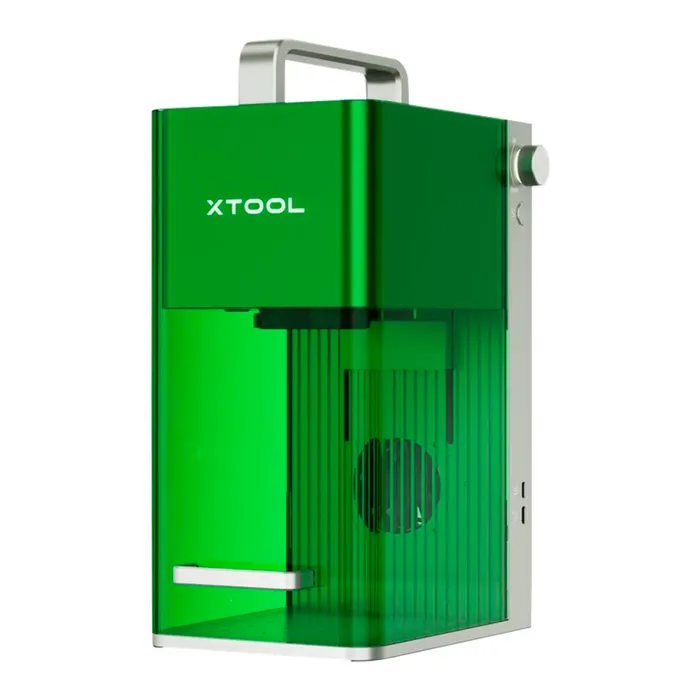
The xTool F1 stands out with its dual-laser system, combining a 2W infrared laser and a powerful 10W diode laser to deliver unmatched speed and precision. This hybrid setup, paired with a TRUE industrial-grade galvanometer system, allows the F1 to engrave and cut materials with impressive accuracy at rates far faster than traditional laser engravers. Whether you’re marking wood, leather, acrylic, or anodized aluminum, the F1’s high-speed laser scanning ensures clean, detailed results and smoother edges.
One of the most compelling aspects of the F1 is its portability. Unlike many high-performance laser systems that require dedicated workspace, the F1 is compact and easy to position in a variety of settings — from home studios to trade show booths. This mobile versatility doesn’t come at the expense of power; reviewers have praised the F1’s ability to deliver professional-grade engraving while remaining accessible and user-friendly. Its simplified setup and intuitive operation make it approachable for both beginners and experienced creators alike.Beyond hardware performance, the xTool F1 is also designed for real-world creative workflows. Rapid engraving speeds, streamlined file transfer options, and compatibility with common design tools allow users to integrate the F1 into their existing processes without friction. Whether you’re producing personalized gifts, custom signage, or prototype parts, the F1 blends speed, precision, and usability in a package that works for individuals, small businesses, and makers on the go.
Accessories
The xTool F1 can be paired with a variety of accessories that expand its capabilities and improve both safety and versatility. One of the most valuable add-ons is the Air Assist system, which directs a steady stream of air onto your work surface during engraving and cutting. This helps reduce smoke buildup and burn marks, resulting in cleaner edges and higher-quality finishes across a range of materials. Combined with the Elk Laser Safety Enclosure, which blocks stray laser light and contains fumes, these accessories make the F1 safer and more reliable to operate—especially in shared or indoor workspaces.
For creators who want to go beyond flat surfaces, the rotary attachment is a game changer. This accessory lets you engrave on cylindrical or curved objects like tumblers, bottles, rings, and tubes by rotating the item as the laser works. It effectively transforms the F1 into a more versatile machine capable of handling personalized gifts and 3D projects that would be difficult or impossible with a standard flat setup. Material hold-down fixtures further enhance precision by securing irregular or lightweight items, preventing movement that could affect accuracy during detailed work.
To keep your F1 performing at its best over the long term, xTool also offers replacement parts and specialized cuts like cutting mats and spare lenses. These consumables and support accessories make maintenance easier and help protect both your machine and workpieces during more complex jobs. Altogether, the F1’s accessory ecosystem makes it a highly adaptable tool — whether you’re tackling custom craftsmanship, artistic projects, or small business production — by boosting performance, safety, and creative potential.
How To Operate The xTool F1
Getting started with the xTool F1 is straightforward, even for beginners. First, carefully unbox the machine and verify that all components are included. Follow the instruction manual to assemble the device, ensuring all parts are securely connected. Once assembled, connect the F1 to your computer or tablet, depending on your workflow, and ensure the power supply is properly set up. A stable workspace with adequate ventilation is recommended to safely operate the laser and manage smoke or fumes.
Next, you’ll need to install the XCS software, which is xTool’s proprietary platform for controlling the F1. This software allows you to set up your project, adjust laser power and speed, and manage material settings for different types of surfaces. For more advanced functionality, the F1 is also compatible with third-party software like LightBurn, which provides additional design tools and supports flat and rotary attachments. While LightBurn offers flexibility, some features such as real-time laser module positioning or curved surface engraving may be limited compared to XCS, so many users prefer XCS for full functionality.
Finally, after software setup, perform a test run to ensure everything works correctly. Start with scrap material to check focus, alignment, and cutting or engraving quality. Adjust parameters such as speed, power, and passes based on material thickness and type. The F1 also supports the use of accessories like the rotary attachment or air assist, which can be integrated during this stage to optimize results. Once you’re satisfied with the test run, you can begin your full project, confident that your xTool F1 is calibrated for precise and efficient operation.
Who Is the xTool F1 For?
The xTool F1 is ideal for creators who want a powerful, portable, and fast laser engraver that bridges the gap between hobby use and professional-level performance. Its combination of a 2W infrared laser and a 10W diode laser — paired with an industrial-grade galvanometer system — makes it much faster and more capable than typical desktop engravers, but still accessible and easy to operate.
Anyone who enjoys crafting personalized items like custom signs, artwork, leather goods, acrylic decorations, and engraved gifts will appreciate the F1’s precision and speed without a steep learning curve. For entrepreneurs producing custom products, promotional items, or small-batch merchandise, the F1 offers fast turnaround and professional results that help you scale projects and impress customers.Its portability and quick setup make the F1 perfect for live demonstrations, markets, trade shows, and maker spaces where on-the-spot personalization and interactive engagement help draw crowds.Even users with no prior laser experience can start with the F1 thanks to its intuitive operation and software support. As skills develop, the device’s speed and performance support more advanced workflows and projects.
Is xTool Worth It?
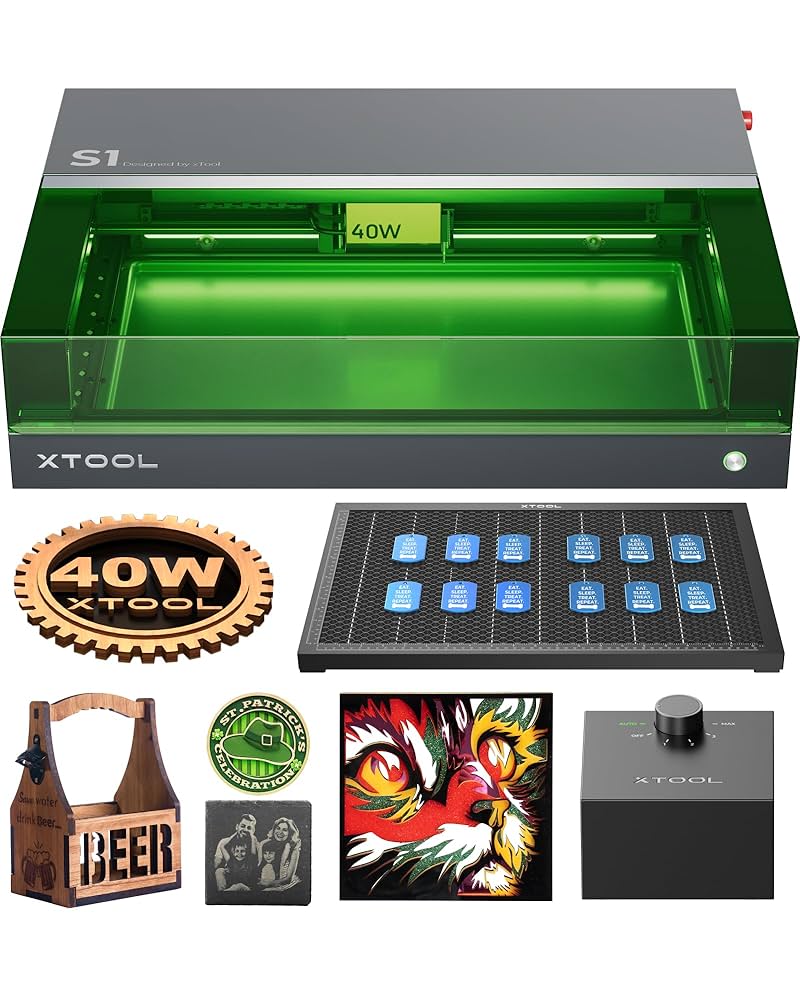
Based on the overall experience and the large volume of feedback from first-time users, xTool clearly delivers strong value—especially for beginners. While seasoned laser engravers may evaluate machines on more advanced or niche criteria, xTool consistently earns praise for making engraving accessible, intuitive, and less intimidating for newcomers.
Many xTool reviews highlight how easy the machines are to set up, learn, and use, even with no prior experience. For creatives, hobbyists, and small business owners who want a reliable entry point into laser engraving without sacrificing quality or performance, xTool tools are absolutely worth the investment.
Conclusion
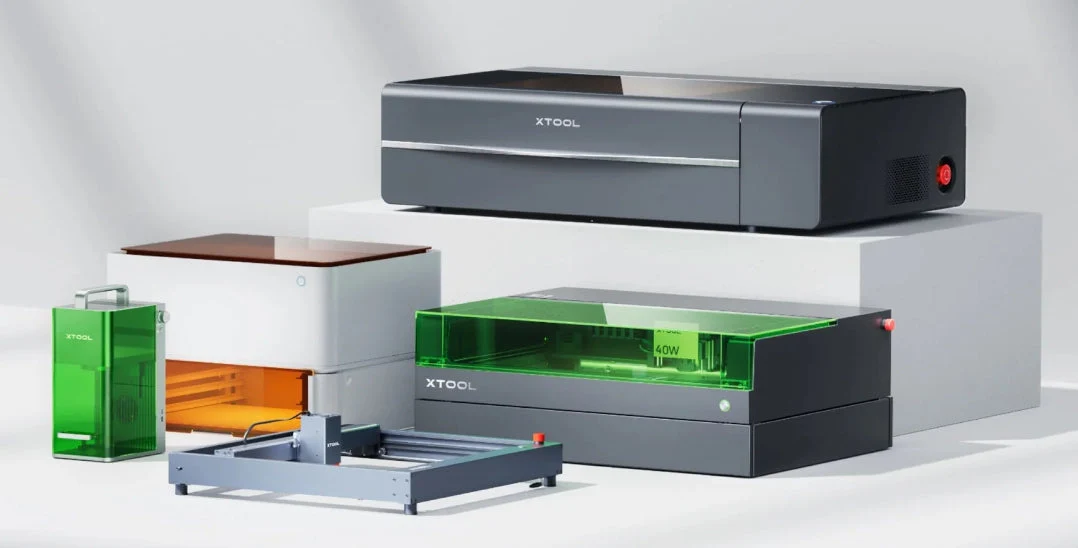
In conclusion, xTool has established itself as a reliable and user-friendly option for anyone interested in laser engraving and cutting, particularly beginners. The machines are designed to be intuitive and accessible, offering a range of features that allow users to create professional-quality work without needing advanced technical expertise. Coupled with the brand’s supportive community and instructional resources, xTool makes it easier than ever to start crafting personalized projects.
Moreover, xTool provides excellent value for the price, especially given the precision, versatility, and speed of their machines. Whether you’re a hobbyist, small business owner, or someone exploring creative outlets, investing in xTool tools means gaining access to durable, high-performing equipment that encourages experimentation and innovation. The combination of quality, affordability, and usability makes xTool a worthwhile choice for anyone looking to enter the world of laser engraving.